Reliable mobile data in Ukraine is more than a convenience in 2026. It’s how you confirm intercity schedules, call a taxi, message your host, receive security alerts, and navigate when plans change. The good news: Ukraine’s mobile market is competitive, prepaid plans are generally affordable, and eSIM support is improving. The realistic part: coverage varies by region and along transport corridors, and power interruptions can still happen—so your connectivity plan should include a backup power routine and a few security basics.
SIM vs eSIM in Ukraine: where to buy, ID requirements, and best-value plans
SIM (physical card) is still the easiest option for most travelers. You can buy it in city centers, shopping malls, and operator shops. eSIM is convenient if you want to land (or cross the border) already connected, keep your home SIM active for banking SMS, or avoid swapping cards.
Where to buy a SIM
- Official operator stores (best for help with setup, plan selection, and troubleshooting).
- Large electronics retailers (good availability, less personalized support).
- Supermarkets/kiosks (fast and cheap, but you’ll likely configure everything yourself).
If you want the smoothest experience, buy from an official store in a major city (Kyiv, Lviv, Odesa, Dnipro). Staff can usually help set APN settings if needed and confirm your plan is activated.
Where to buy an eSIM
- Directly from Ukrainian operators (best value and local number; may require online verification steps).
- International travel eSIM marketplaces (easy purchase and instant activation, but often pricier and may not include a Ukrainian phone number).
Before you buy, confirm your phone is carrier-unlocked and supports eSIM (many recent iPhones and Android flagships do; some budget models don’t).
ID requirements and registration: what to expect in 2026
Ukraine has both anonymous prepaid use and registered options depending on provider, product type, and how you activate. In practice:
- Operator stores may request a passport for registration, especially if you want a more “contract-like” setup, additional services, or certain eSIM flows.
- Kiosk SIMs may activate with minimal steps, but you may have fewer recovery options if you lose the SIM or need to restore the number.
Recommendation: If you’ll be in Ukraine more than a week, use banking apps, or rely on the number for bookings, consider registering the SIM/eSIM with your ID at an operator store. It makes number recovery and support much easier.
Best-value plan strategy (without chasing exact prices)
Plan names and bundles change frequently, so focus on structure:
- Prepaid monthly bundles are usually the best value: a fixed fee for generous data + local calls/SMS.
- Look for “unlimited” carefully: it may be speed-capped after a threshold or limited for hotspot use.
- If you’ll tether a laptop, choose a plan that explicitly allows hotspot or includes a large high-speed data bucket.
Practical pick for most travelers: a 4-week prepaid bundle with ample data (enough for maps, messaging, ride-hailing, and moderate video calls) plus local minutes. If you’re a remote worker, add a second layer: either a second SIM/eSIM on another network or a travel eSIM as fallback.
Roaming vs local SIM: when roaming makes sense
Roaming from your home carrier can be convenient for short stays, but it’s often expensive for heavy data. Consider roaming if:
- You’re in Ukraine for 1–3 days and only need light data.
- You must keep your home number active for 2FA/banking and don’t want dual SIM complexity.
For most trips longer than a weekend, a local SIM/eSIM is typically the better deal and more predictable.
Coverage expectations by region and on trains/highways
Ukraine’s mobile coverage is strongest in major cities and along primary transport corridors. The weak spots are predictable: remote rural areas, deep forested/mountain terrain, and stretches between smaller towns.
Big cities vs smaller towns
- Kyiv, Lviv, Odesa, Dnipro: generally strong 4G/LTE in most districts, with occasional indoor dead zones in thick-walled buildings and basements.
- Medium cities: usually solid coverage in the center; expect dips on the outskirts.
- Villages and rural roads: workable for messaging and maps, but speeds can drop and signal can disappear in low-density areas.
Carpathians and mountainous areas
In the Carpathians, coverage can change dramatically within a few kilometers. Valleys and towns tend to have service; ridgelines can be surprisingly good in some places and completely absent in others.
Mountain routine: download offline maps, share your route with someone, and don’t rely on streaming navigation alone.
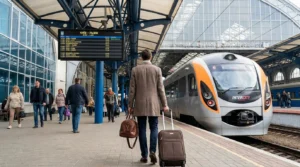
On trains
On intercity trains, mobile data is usually usable, but expect interruptions:
- Signal drops in forests, cuttings, and between settlements.
- Congestion at peak times when many passengers share the same towers.
- Station stops often bring the best signal—use them to sync messages and downloads.
Tip: If you need to work on a train, queue your tasks: download documents before departure, keep messaging lightweight, and schedule calls for times when you’re near larger towns.
On highways
Major highways usually have decent coverage, but there are still gaps. If you’re driving or taking long-distance transfers:
- Keep offline maps enabled.
- Save key addresses in both Latin and Ukrainian spellings (apps sometimes match better in Ukrainian).
- Have a backup navigation app installed in case one fails to load.
Power resilience: power banks, charging etiquette, and blackout-friendly routines
Power stability has improved compared to the most difficult periods, but outages can still occur locally or regionally. Treat power as part of your connectivity plan.
What to carry
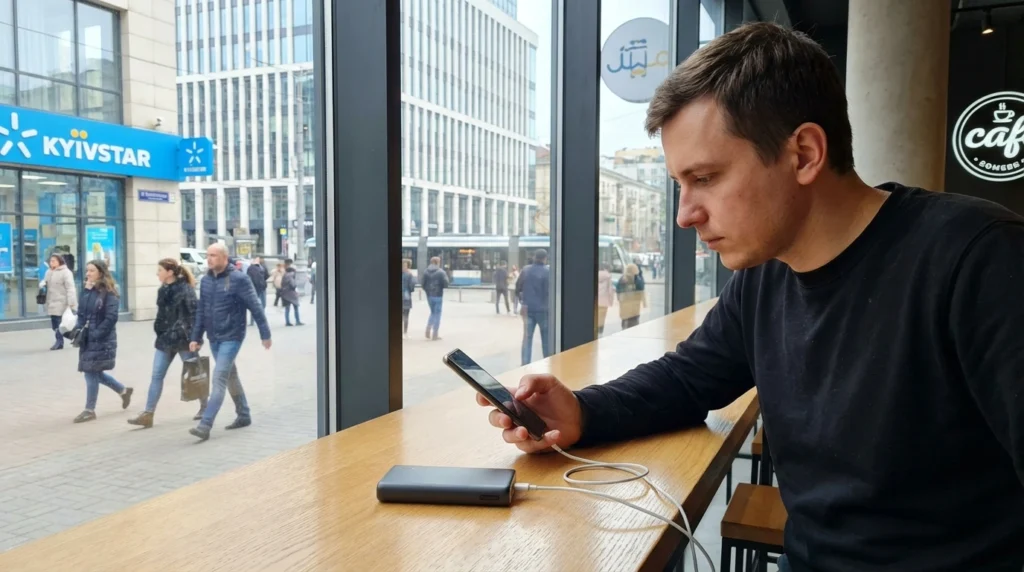
- Power bank (10,000–20,000 mAh): enough for 2–5 phone charges depending on your device. For day trips, 10,000 mAh is usually sufficient; for overnight trains or rural travel, 20,000 mAh is safer.
- Fast charger (USB-C PD or equivalent) with a reliable cable.
- Multi-port charger if you travel with multiple devices (phone + earbuds + hotspot).
- Optional: a compact USB-C to USB-C cable plus a USB-A backup—Ukraine still has a mix of ports in older venues.
Charging etiquette in cafés, stations, and coworking spaces
- Ask before using outlets if they’re not clearly public.
- Don’t occupy scarce sockets for hours if the venue is crowded—top up, then move on.
- Use your own charger rather than plugging into random USB ports (some public USB ports can be unsafe).
Blackout-friendly routines that actually help
- Charge opportunistically: if you see power and you’re below ~70%, top up.
- Keep a “low-power profile”: disable background app refresh, reduce screen brightness, and turn off 5G (if available) when you don’t need it.
- Download essentials when power is stable: offline maps, tickets, hotel confirmations, and translation packs.
- Carry cash and key info offline: a screenshot of your passport ID page, insurance policy number, and your accommodation address.
If you’re planning longer travel or guided routes, consider travel insurance that covers common trip disruptions and medical needs; some travelers arrange it in advance via so documents are accessible offline.
Secure connectivity: VPN basics and avoiding public Wi‑Fi traps
Connectivity is only useful if it’s safe. Travelers are often targeted through fake Wi‑Fi networks, compromised routers, and phishing pages that mimic login portals.
Public Wi‑Fi: safer habits
- Avoid logging into banking apps on public Wi‑Fi. Use mobile data instead.
- Verify the network name with staff. Attackers often create lookalike SSIDs (for example, “Cafe_Free” vs “Cafe_Free_5G”).
- Turn off auto-join for Wi‑Fi and Bluetooth when walking around.
- Use HTTPS-only mode in your browser if available.
VPN basics (what it helps and what it doesn’t)
A reputable VPN can reduce risks on untrusted networks by encrypting traffic between your phone and the VPN server. It’s useful for:
- Protecting data on public Wi‑Fi
- Reducing tracking on shared networks
A VPN does not protect you if you install malicious apps, enter passwords into phishing sites, or ignore device updates. Treat it as one layer, not a magic shield.
Phone security checklist for Ukraine travel
- Update your OS and apps before arrival.
- Enable a strong screen lock and biometric unlock.
- Turn on Find My Device (and test that you can log in).
- Use an authenticator app rather than SMS 2FA where possible.
- Back up photos and documents automatically when you have stable power and Wi‑Fi you trust.
A simple “connectivity kit” for a smooth trip
- Local SIM or operator eSIM (registered if staying longer)
- Backup eSIM or second SIM on a different network (optional but helpful)
- 10,000–20,000 mAh power bank + fast charger
- Offline maps + saved addresses + key screenshots
- VPN + auto-join Wi‑Fi disabled
With these basics, you’ll spend less time troubleshooting and more time actually traveling—whether that’s navigating Kyiv’s neighborhoods, catching trains across the country, or heading into the Carpathians with confidence.