Use ATMs carefully
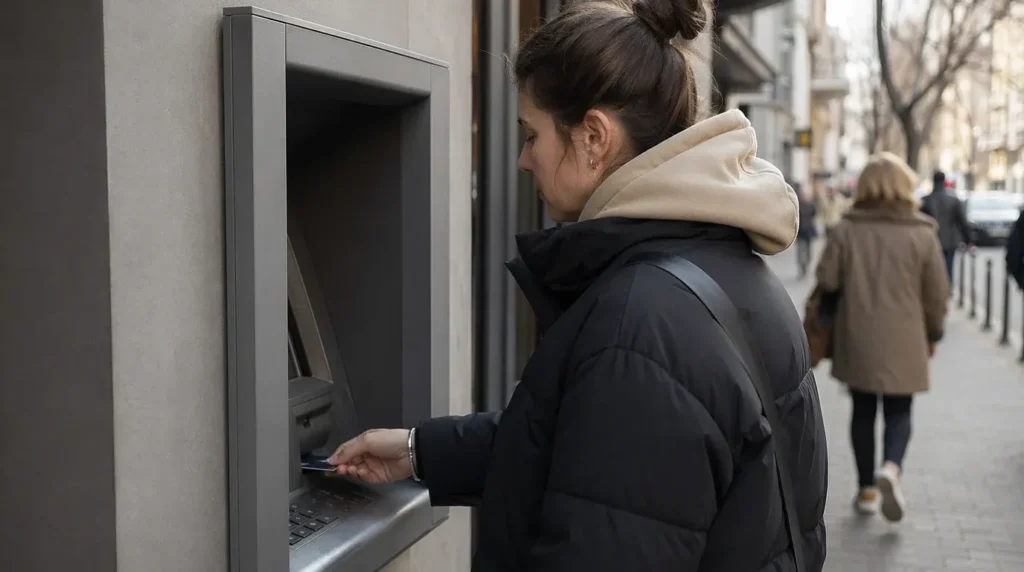
ATM skimming is reported in Ukraine, especially at non-bank machines. You need to prefer ATMs inside bank branches, bank lobbies, or other supervised locations. These are usually better maintained and less exposed to tampering.
Before you insert your card, look at the card slot and keypad. If anything looks loose, scratched, misaligned, or unusual, use another machine. Cover your PIN with your hand every time. Do not let anyone stand close enough to watch you enter it.
Use contactless payment where possible. Keep cash withdrawals to what you need for the day. If your card is copied or stolen, smaller balances reduce the damage.
Stay safe on public Wi-Fi
Free Wi-Fi in cafes, hotels, and public places is common, but it is not always encrypted. You should assume that data sent over open networks can be intercepted. Do not log in to banking apps, email accounts, or government services on public Wi-Fi unless you have a trusted VPN active.
A VPN does not make you invisible, but it adds a useful layer of protection. If you do not use one, switch to mobile data for anything sensitive. Turn off automatic connection to open networks on your phone and laptop. Forget networks after use if you do not need them again.
Keep Bluetooth and file sharing off when you do not need them. Update your phone and apps before travel. Security patches matter more than most people expect.
Watch for phishing in messages and QR codes
Phishing messages in Ukrainian and Russian are common. They may claim there is a delivery problem, a bank issue, a tax notice, a fine, or a parcel waiting for you. The message often includes a link that leads to a fake login page or malware download. Do not click links from unknown senders. If the message seems important, open the service directly through its official app or website that you type in yourself.
QR code scams also exist at tourist spots, parking areas, and on posters or stickers. A fake QR code can send you to a payment page that looks real. Before you scan, check whether the code looks like a sticker placed over another one. If you are paying for something, verify the merchant name before entering card details.
Be cautious with any message that creates pressure. If it says your account will be blocked today, your parcel will be returned now, or your payment failed and must be fixed immediately, stop and verify first. Urgency is a common trick.
Protect your mobile number and banking apps
SIM-swap fraud has been reported. Criminals try to move your phone number to a new SIM card so they can receive your SMS codes. You need to protect your number as carefully as your card. Ask your mobile operator about extra account protection, such as a port-out or SIM-change lock if available.
Use app-based authentication where possible instead of SMS codes. A password manager helps you use strong, unique passwords for every account. If your phone is lost or stolen, change your banking and email passwords immediately from another device.
Monobank and PrivatBank apps have strong fraud detection, but they still depend on your own caution. Review notifications quickly. If you see a payment or login you do not recognise, block the card or account from the app and contact the bank at once.
What to do if something looks wrong
If you think your card details may have been copied, freeze the card in your banking app and report it to the bank. If you suspect a phishing link, do not enter any details and delete the message after checking whether it needs to be reported. If you clicked a suspicious link, change the password for that account from a safe device.
If your phone stops receiving signal for no clear reason, contact your mobile operator quickly. A sudden loss of service can be a sign of SIM-swap fraud. If your bank sends a code or alert you did not request, treat it as a warning and check your accounts immediately.
Keep emergency contact details for your bank and mobile operator saved offline. If your phone is compromised, you may not be able to search for them easily.
Practical habits that lower your risk
- Use ATMs inside bank branches or other supervised locations.
- Cover your PIN and keep your card in sight during every transaction.
- Use a VPN on public Wi-Fi or switch to mobile data.
- Do not scan QR codes unless you trust the source.
- Open bank and delivery services only through official apps or typed web addresses.
- Enable app alerts for card use, logins, and transfers.
- Protect your mobile number with your operator if extra safeguards are available.
Most cyber risks you face in Ukraine are the same ones you face elsewhere. The difference is that you need to be more deliberate in public places and on shared networks. Slow down, verify the source, and use the bank app or official service directly.